





trimble
ID # 17936429
Trimble WM-Subsurface Software
In Stock
Call for Price


Overview
Specifications
automatic pipe sizing
product comparison
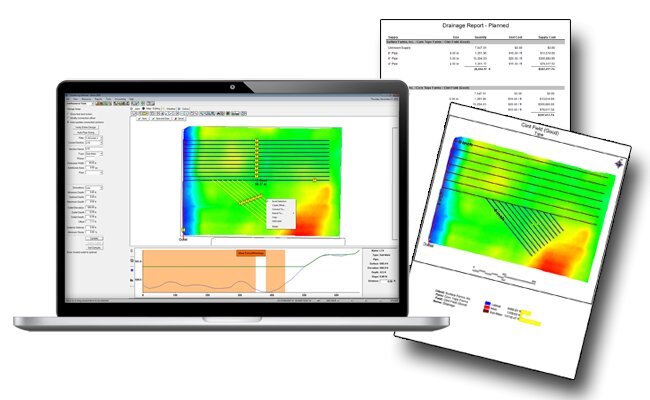
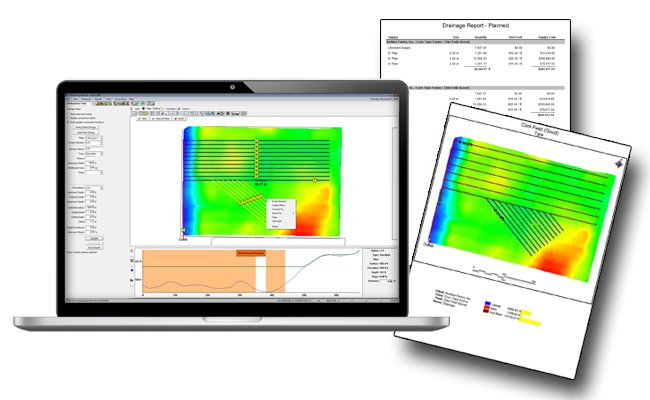
WM-Subsurface (formerly known as Farm Works Surface) is farm drainage software that works with the Trimble® WM-Drain™ farm drainage solution. WM-Subsurface ensures the optimal placement of tile and surface drains in both surface and sub-surface drainage water management projects, helping to drain fields adequately and increase crop yields. Easily overlay other layers such as yield or soil types to help visualize the field from different perspectives.
The farm drainage software installs on desktop computers utilizing Microsoft® Windows® 7 or higher.
Model
WM-Subsurface Software
Category Name
Agriculture
Year
2021
Sale Type
New
Manufacturer
Trimble
Automatic Pipe Sizing
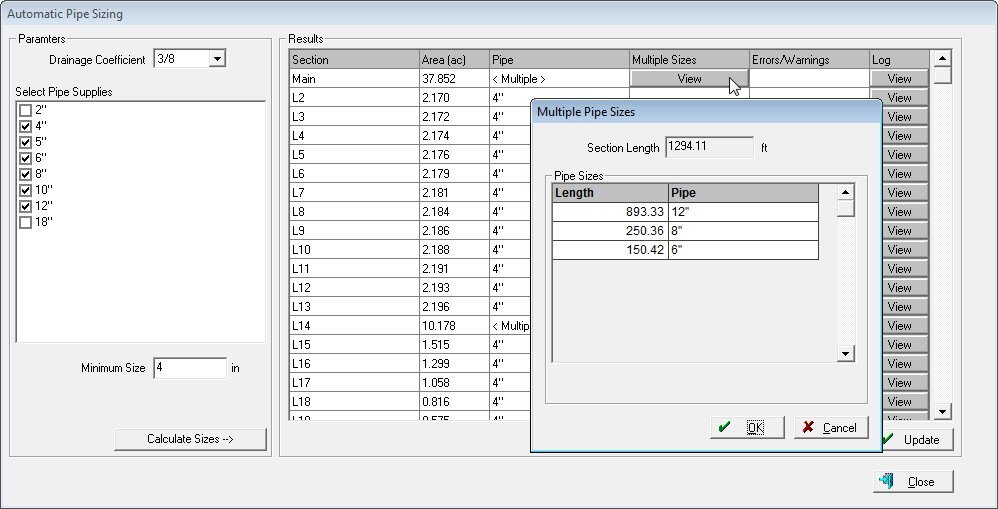
Calculate the recommended pipe size for all pipes within a given design, as well as generate an estimate on total cost and material required for the drainage project. Automatic pipe sizing helps you quickly and efficiently produce optimal drainage designs while reducing your overall costs.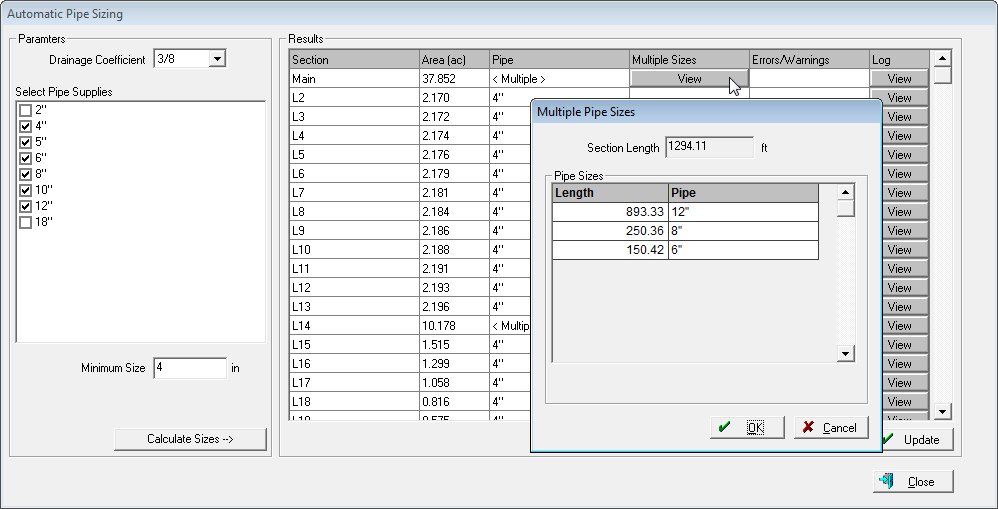
Product Comparison
Product Comparison
| Features | Farmer Starter | Farmer Core | Farmer Pro | |
|---|---|---|---|---|
| Farm Setup | User logins1 | Up to 5 | Up to 5 | Up to 5 |
| Manage client/farm/field names with boundaries | ✔ | ✔ | ✔ | |
| Farm Operations | Manage guidance lines | ✔ | ✔ | |
| AutoSync™ resources, as-applied data, and bluetooth tags between Precision-IQ Displays and the cloud 2 | ✔ | ✔ | ||
| Import/export or use third-party APIs to get data to/from precision farming displays | ✔ | ✔ | ||
| Track real-time equipment location, current status, and utilization history | ✔ | ✔ | ||
| Wirelessly send prescriptions to displays | ✔ | ✔ | ||
| Create Precision-IQ Display Work Order in web or mobile for remote task set-up and monitoring | ✔ | ✔ | ||
| Create Standard Work Orders and assign to people to monitor their manual completion | ✔ | |||
| Includes dashboard for weather forecasting and commodity price tracking 3 | ✔ | |||
| Farm Records | Create detailed field records for seed, chemical, fertilizer, harvest, and other applications | ✔ | ✔ | |
| Add materials and track purchases and usage by field with costs | ✔ | ✔ | ||
| Generate compliance reports with coverage or as-applied and task details | ✔ | ✔ | ||
| Access Precision-IQ as-applied data in shapefile format to use in other applications | ✔ | ✔ | ||
| Process yield data with yield cleaning tool | ✔ | ✔ | ||
| Create reports for seed, fertilizer, chemical usage, and field/crop profitability | ✔ | |||
| View basic weather with option for upgrading to Ag Premium Weather | ✔ | |||
| VRA Tools | Use drawing tools to layout management zones and create prescriptions | ✔ | ✔ | |
| Utilize the mobile app for grid or zone soil sampling, including navigation to sample sites | ✔ | |||
| Grain Marketing | Track bin inventory | ✔ | ||
| Manage grain contracts and market position statements | ✔ | |||
| In-Season Monitoring | View Crop Health Imagery for each field | ✔ | ||
| Record crop scouting events and create product application recommendations | ✔ | |||
| Import UAV imagery | ✔ |
Model
WM-Subsurface Software
Category Name
Agriculture
Year
2021
Sale Type
New
Manufacturer
Trimble
Quantity
1






Copyright© 2026 Dealer Performance Demo - Powered by Turn Key Web Solutions - Privacy Policy - All Items - Dealer Performance Login